1.
Compared to previous Galaxy Z Fold models.
2.
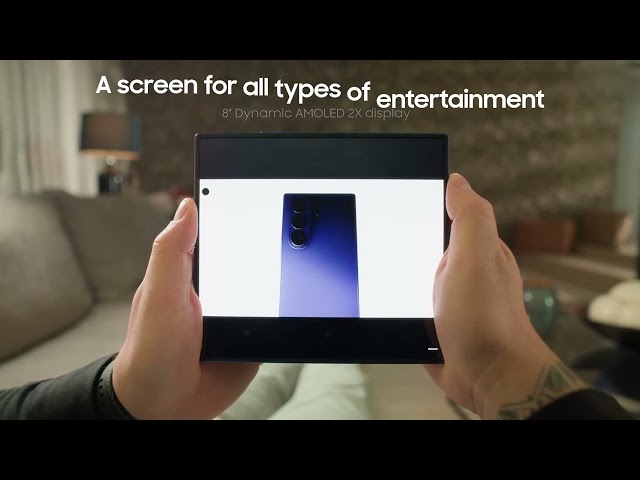
Measured diagonally, Galaxy Z Fold7's Cover Screen size is 6.5"
in the full rectangle and 6.5" accounting for the rounded
corners; actual viewable area is smaller due to the rounded
corners and camera hole.
3.
Measured diagonally, Galaxy Z Fold7's Main Screen size is 8.0"
in the full rectangle and 8.0" accounting for the rounded
corners; actual viewable area is less due to the rounded
corners.
4.
Advanced Armour Aluminium frame does not include volume and side
keys, SIM tray or camera lens barrel.
5.
Corning® Gorilla® Glass Ceramic 2 is applied to the front of
the device and Corning® Gorilla® Glass Victus® 2 is applied
to the rear.
6.
Results may vary depending on shooting conditions including
multiple subjects, being out of focus or moving subjects.
7.
Snapdragon branded products are products of Qualcomm
Technologies, Inc. and/or its subsidiaries.
8.
AP performance improvements shown compared to Galaxy Z Fold6.
Actual performance will depend on user environment, conditions
and pre-installed software and applications.
9.
Typical value tested under third-party laboratory condition.
Typical value is the estimated average value considering the
deviation in battery capacity among the battery samples tested
under IEC 61960 standard. Rated capacity is 4272 mAh for Galaxy
Z Fold7.
10.
Actual battery life varies by network environment, features and
apps used, frequency of calls and messages, the number of times
charged, and many other factors. Estimated against the average
usage profile compiled by UX Connect Research. Independently
assessed by UX Connect Research between 2025.06.12-2025.06.20 in
US with pre-release versions of SM-F966 under default setting
using LTE and 5G Sub6 networks. NOT tested under 5G mmWave
Network.
11.
Gemini is a trademark of Google LLC. Results for illustrative
purposes. Gemini Live feature requires internet connection and
Google Account login. Service availability may vary by country,
language, device model. Features may differ depending on
subscription and results may vary. Compatible with certain
features and certain accounts. Currently, you can use a personal
Google Account that you manage on your own, or a work or school
account for which your administrator has enabled access to
Gemini. You must be 13 (or the applicable age in your country)
or over to use Gemini with a personal or school Google Account
and 18 or over to use Gemini with a work account.
12.
Now Brief feature requires Samsung Account login. Service
availability may vary by country, language, device model, apps.
Some features may require a network connection. Modes and
Routines need to be enabled to use Personal Data Engine for
context-based Routines suggestions. User needs to consent to
access permissions such as photos, videos, audio files, and
calendar events. May not display moments depending upon exposure
policy. The description of photos provided by moments may not
align with the user's intent. Events schedule notification is
supported with calendar apps that utilise Android calendar
database and available if Samsung Calendar is installed.
Notifications for coupons only available for coupons added to
Samsung Wallet with expiration date. To check the Energy Score,
the health data tracked from Samsung Galaxy Watch or Samsung
Galaxy Ring must be synchronised with the Samsung Health App.
The result is for your personal reference only and is not
intended for medical purposes.
13.
Writing Assist requires a network connection and Samsung Account
login. Must meet length requirements to activate feature.
Service availability may vary by language. Accuracy of results
is not guaranteed.
14.
The Personal Data Engine functions under the condition that the
Personal Data Intelligence menu is on. Analysed data will be
deleted once the Personal Data Intelligence menu is turned off.
Personal Data Engine recognises select languages and certain
accents/dialects, including but not limited to Arabic,
(Simplified) Chinese, Dutch, English, French, German, Hindi,
Indonesian, Italian, Japanese, Korean, Polish, Portuguese,
Romanian, Russian, Spanish, Swedish, Thai, Turkish, and
Vietnamese. Personal Data Engine currently analyses Samsung
native applications.
15.
Some functional widgets may require a network connection and/or
Samsung Account login. Availability of functions supported
within the apps may vary by country.
16.
Weather Wallpaper feature requires network connection to receive
the weather data. It can reflect the weather data without
network connection once the data is received by the device.
Reflection of real-time weather conditions may be delayed as
service relies on local weather information updates. Certain
indoor, nighttime and low-resolution photos may not be
compatible. The accuracy and reliability of the generated output
is not guaranteed.
17.
Quick Share feature between Galaxy devices available with the
following OS: smartphones and tablets with Android OS version
10.0 (Q) and One UI 2.1 or above, PCs running Windows 10 or
later. Requires Samsung Account and Wi-Fi and Bluetooth
connection. Quick Share to iOS and Android devices available by
sending shared link: individual files shared cannot exceed 10 GB
(for a total of 10 GB per day) and link will expire after two
days; requires a Samsung Account and internet connection.
18.
Wired transfers from Android™ devices require the
receiving device to have Android™ 5.0 or later and
the sending device to have Android™ 5.0 or later.
Transfers can be completed without a cable through a wireless
connection. For wireless connections, the receiving device must
have Android™ 5.0 or later and the sending device
must have Android™ 5.0 or later.
19.
Wired transfers from iOS require the receiving device to have
Android™ 5.0 or later and the sending device to have
iOS 5 or later. Transfers can be completed without a cable
through a wireless connection or iCloud. For wireless
connections, the receiving device must have Android™
5.0 or later and the sending device must have iOS 12 or later.
iCloud transfers require the receiving device to have
Android™ 5.0 or later and the sending device to have
iOS 5 or later.
20.
Availability may vary by country, region or carrier.
21.
Samsung account login is required.
22.
IPX8 rating based on lab test conditions for submersion in up to
1.5 meters of freshwater for up to 30 minutes. Not advised for
beach or pool use.
23.
IP48 rating based on lab test conditions for submersion in up to
1.5 meters of freshwater for up to 30 minutes. Not advised for
beach or pool use.
24.
Gemini is a trademark of Google LLC. Results for illustrative
purposes. Requires internet connection and Google Account login.
Service availability may vary by country, language, device
model. Works on compatible apps. Features may differ depending
on subscription and results may vary. Set up may be required for
certain functions or apps. Accuracy of results is not
guaranteed. You must be 13 (or the applicable age in your
country) or over to use Gemini with a personal or school Google
Account and 18 or over to use Gemini with a work account.
25.
Availability of functions supported within the apps may vary by
country. Some functional widgets may require a network
connection and/or Samsung Account login.
26.
Google account login required. Requires network connection.
Availability of search functions and its supported apps may vary
by country, language and device.
27.
Requires network connection and Samsung account login.
28.
Requires network connection. Availability of search functions
and its supported apps may vary by country, language and device.
Results may vary depending on visual matches.
29.
Available to use on Samsung Internet. Requires network
connection and Samsung account login. Summarise feature may be
limited or unavailable on certain paid websites. Character limit
applies. Language pack download may be required. Accuracy of
results not guaranteed.
30.
Samsung account login is required. Certain languages may require
language pack download. Service availability may vary by
language. Accuracy of results is not guaranteed.
31.
Samsung account login is required. Certain languages may require
language pack download. Service availability may vary by
language. Accuracy of results is not guaranteed. Available in 20
languages from launch.
32.
Results may vary per video depending on how sounds present in
the video. Samsung Account login required. Certain types of
sound can be detected such as voices, music, wind, nature, crowd
and noise. The actual sound detection may vary depending on
audio source, and the condition of the video. Accuracy of
results is not guaranteed.
33.
Maximum length per clip to be edited using Auto Trim for Photo
Assist is 90 minutes. Maximum length of combined clips to be
edited using Auto Trim for Photo Assist is 180 minutes. Maximum
number of clips to be edited per video project is 60 clips.
Accuracy of results is not guaranteed.
34.
Requires a network connection and Samsung account login. A
visible watermark is overlaid on the saved image to indicate it
was generated by Galaxy AI. Accuracy of output not guaranteed.
35.
Sketch to Image feature requires a network connection and
Samsung Account login. Editing with Sketch to Image may result
in a resized photo up to 12MP. A visible watermark is overlaid
on the image output upon saving in order to indicate that the
image is generated by AI. The accuracy and reliability of the
generated output is not guaranteed.
36.
Portrait Studio feature for Photo Assist requires a network
connection and Samsung Account login. Editing with Portrait
Studio results in a resized photo up to 9MP. A visible watermark
is overlaid on the image output upon saving in order to indicate
that the image is generated by AI. The accuracy and reliability
of the generated output is not guaranteed.
37.
Live Effect feature for Photo Assist supports JPG, HEIC (HEIF),
BMP, PNG and WebP files. May not be available on certain photos.
The accuracy and reliability of the generated output is not
guaranteed.